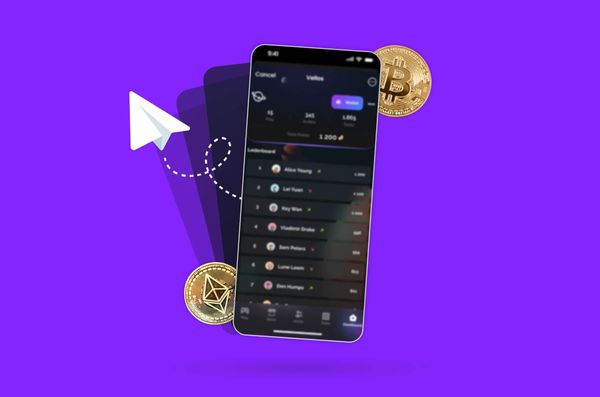
Telegram’s Mini Apps let people play games, collect digital rewards, trade digital collectibles, and use crypto services inside a chat. The platform reported passing 1 billion monthly active users in 2025, giving legitimate developers and scammers access to a huge audience.
Before tapping “Connect wallet,” know what the connection shares, which permissions matter, and how to spot a request designed to take your crypto.
How Telegram Mini Apps handle crypto
Mini Apps are web-based applications that run inside Telegram. Developers use them for games, shopping, digital services, and blockchain features. Under Telegram’s blockchain guidelines, permitted blockchain interactions must use the TON blockchain and TON Connect, subject to the platform’s rules and exceptions.
TON Connect lets an app communicate with a compatible wallet. The app can request a connection, ask for a signature, or submit a transaction for approval. Your wallet keeps control of your private keys, so check who operates the Mini App and read each request before proceeding.
For people exploring crypto-related services, options such as a TON casino show how blockchain-based entertainment fits into this ecosystem.
Connecting a wallet and approving a transaction
A wallet connection can share your public wallet address with an app. That address lets others view your on-chain activity, including transactions and publicly visible asset holdings. The address itself does not give an app permission to spend your crypto.
Pay attention to the next prompt. A signature might confirm a login or authorize a specific action, while a transaction can transfer crypto or interact with a smart contract. Some approvals let a contract spend certain tokens on your behalf. Read the wallet’s explanation, check the recipient and amount, and reject requests that do not match your intended action.
Never enter your recovery phrase or private key into a Mini App or send it to someone claiming to be support. A standard wallet connection should not require either secret. Anyone asking for them could be trying to take control of your funds.
Check these details before approving
Check the Mini App’s official channel or website, look for misspelled names and imitation accounts, and confirm that the domain shown by your wallet matches the service you intended to use.
Before approving a wallet prompt, check:
- The requested action. Connecting, signing a message, and sending a transaction are different actions. Make sure the prompt matches what you are trying to do.
- Transaction details. Review the token, amount, destination address, network, and fees. Pause if the wallet displays unfamiliar contract interactions.
- Spending permissions. If a contract requests permission to spend tokens, check the scope and amount where available. Revoke unnecessary allowances through a trusted wallet or blockchain tool that supports it.
- Data requests. Consider whether the app needs the profile information or other access it requests.
If you cannot explain what a prompt will do, leave it unapproved. A promised reward is rarely worth risking funds you cannot afford to lose.
Crypto scams are getting harder to spot
In its January 2026 report, blockchain analytics firm Chainalysis estimated that crypto scams and fraud received at least $14 billion on-chain in 2025. The total could exceed $17 billion as more illicit addresses are identified. Impersonation scam inflows grew by 1,400% year over year. These figures cover crypto scams broadly, rather than Telegram Mini Apps alone.
Cybersecurity reporting in May 2026 described a fraud operation abusing Telegram Mini Apps to impersonate established brands, run crypto scams, and distribute malicious Android apps. Watch for fake airdrops, urgent wallet-verification messages, lookalike Mini Apps, and promises of guaranteed returns. Even links shared by friends can lead to scams if their accounts have been compromised.
What to do if a connection looks suspicious
Stop interacting with the app and reject pending requests. Disconnect it through your wallet’s settings if possible, then check whether you granted token allowances or other permissions that need to be revoked. Disconnecting ends the active connection, while existing spending approvals may require separate action. Completed blockchain transactions generally cannot be reversed.
If funds disappear, save the transaction ID and use a blockchain explorer to inspect the public transaction record before reporting the incident to your wallet provider. The explorer can help you identify the destination address and transaction details, although it cannot reverse a transfer or confirm the identity of the person behind an address.
An August 2026 research preprint titled TENET: Telegram Mini App (in)security examined security weaknesses in Telegram Mini Apps. Researchers screened 61 apps and analyzed 37, reporting flaws involving sensitive data in 30 of those analyzed. Issues included exposed or recoverable session tokens and wallet secrets. The selected sample cannot establish how common these flaws are across all Mini Apps. Researchers also reported that Telegram introduced secure-storage APIs and fixed the identified recovery-phrase exposure in its official Wallet following responsible disclosure.
Use a separate wallet with limited funds for unfamiliar apps, keep your wallet software updated, and contact support through verified channels. Be wary of anyone promising guaranteed recovery for an upfront fee.